-
A Warm Load Never Cools Down in Transit
-
Record the Load Temperature Before the Doors Close
-
Read Return Air Instead of the Setpoint Display
-
Repeat the Enroute Inspection Every 30 Minutes
-
Two Bad Checks in a Row Mean Stop the Unit
-
Every Door Opening Costs You Cold Air
-
Setpoints Come From the Shipper, Not the Manual
-
Build a Check Sheet You Can Fill In One Handed
The most important temperature reading on a refrigerated delivery is taken before the truck moves. Thermo King's C-Series vehicle-powered truck refrigeration operator manual says it without softening: these units are designed to maintain the required product load temperature during transit, and transport refrigeration units are not designed to reduce the load temperature. That one sentence reorders the whole job. Whatever temperature the cargo sits at when the doors close is the temperature the run is trying to defend for the next several hours, and no setting on the display changes that.
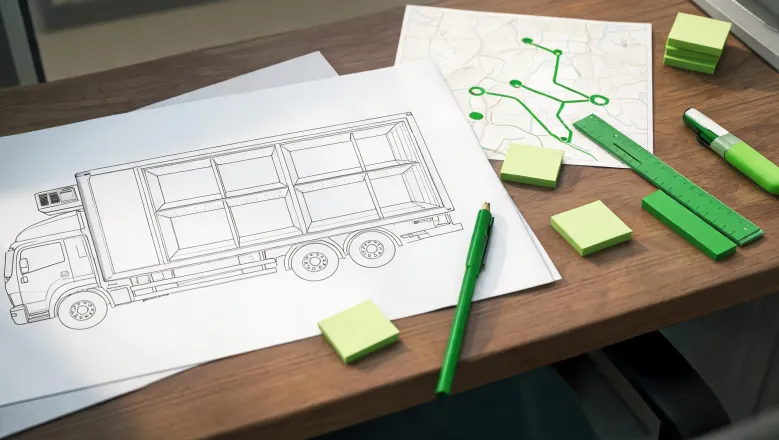
Scope before anything else. What follows applies to the cited 4x2 refrigerated van truck example and to the units and controllers that manual covers, not to every refrigeration system on the road. The range every reading is measured against is not defined here; the section on where setpoints come from deals with that.
A Warm Load Never Cools Down in Transit
A transport refrigeration unit is built to cancel heat that leaks in, not to remove heat already sitting inside the cargo. Air creeps through walls and door seals, doors open and close, and the evaporator has to melt frost off its own coil at intervals. All of that load runs continuously, so the machine's capacity is largely committed to holding a line it has already reached.
Pulling a pallet down is a different job. It needs a much bigger temperature gap between air and product, and it needs hours of that gap being held, which is precisely the work the unit was not specified for. The reason this matters at the loading dock is that heat flows from warm to cold and keeps flowing; a warm load is a heat source parked inside the box, so it goes on handing heat to the air while the compressor runs. Which means the return air can look plausible while the product in the middle of a tight pallet is still above range.
That is the practical difference between a load in range at the dock and one that is not. The first gets a run that is mostly a holding exercise, with the checks confirming nothing drifted. The second starts the day already behind, and no amount of running time closes that gap, which is why the loading number is worth arguing about before the truck leaves.
Record the Load Temperature Before the Doors Close
The manual's loading step is short and specific. Check and record the load temperature when the refrigerated cargo goes in, and note whether any products are already out of temperature range. Two verbs, check and record, and the second one is the one drivers skip when the dock is busy.
A recorded number beats a remembered one for a plain mechanical reason: an enroute reading has nothing to be judged against without a starting point. Air temperature in a working compartment swings with door openings, defrost cycles and how full the box is, so a reading a few degrees off means nothing on its own. It only means something as a comparison. Committing the loading number to paper turns a later argument with a receiver or a claims desk into arithmetic instead of recollection.
What to put on the line is a working suggestion rather than a manufacturer requirement: time, product or pallet identifier, the reading itself, and initials. Add one more thing and it earns its space, a flag for any pallet that arrived already outside the range. That flag tells you which pallet to watch at every check and, if it comes to it, which pallet the receiver is going to point at.
You know the loading record was done properly when the sheet can answer one question at the end of the run without help from anybody's memory: was this load inside its range when it left the dock? If the answer requires a phone call to the driver, the record failed.
Read Return Air Instead of the Setpoint Display
During the run, the reading that matters is return air. The manual directs the operator to check the return air temperature readings, confirms those readings should sit within the desired temperature range, and sends you to the troubleshooting table when they do not. Note what is being read: air coming back off the cargo, not the number the controller is aiming at.
The two numbers answer different questions. A setpoint is an instruction, a target the controller is working toward and will keep displaying whether or not it is winning. Return air has physically travelled across the load space and back, so it carries the condition of the cargo with it. When the display and the return air disagree, the return air is the one describing the box, and the display is the one describing intent.
That troubleshooting table is where you go next, not a place to grab a number out of context. Its entries are tied to fault conditions on specific controllers, so read it in your own printed copy with the fault in front of you. Treat the return air reading as the trigger and the table as the escalation path, and the sequence stays honest.
Repeat the Enroute Inspection Every 30 Minutes
Repeat the enroute inspection every 30 minutes until the compartment temperature is within the desired temperature range. That is the manual's interval, and the second half of the sentence matters as much as the number: the repeat continues while the compartment is out of range, so the interval is a floor on attention, not a ceiling.
Half an hour is not an arbitrary office number. Inside a 30 minute window a drift is usually still small enough that a unit working at maintain capacity can cancel it. A drift discovered much later in the run has already turned into stored heat in the product, and stored heat is the work this class of machine cannot do. The interval exists because it keeps you inside the machine's ability to recover, and outside of it you are only writing down the size of the loss.
Practical consequence: use a repeating timer, not your sense of how long the leg has been. A check that leaves no line on paper, with a time next to it, is a glance out of the corner of one eye while merging, and a glance is not an inspection.
Two Bad Checks in a Row Mean Stop the Unit
The manual draws a hard line. Stop the unit if the compartment temperature is not within the desired temperature range on two consecutive 30 minute inspections, especially if the compartment temperature appears to be moving away from the setpoint. Both parts of that condition are doing work: two consecutive inspections, and a trend that points in the wrong direction.
One high reading right after a dock stop is expected physics. The door was open, warm humid air came in, the coil is working it off, and a single sample catches the compartment mid-recovery. A second reading 30 minutes later that is still out of range, with the number drifting further from the setpoint, is no longer weather. That is a system that has stopped holding, and continuing the route on the assumption it will catch up is how a small fault becomes a rejected load.
Keep the rule inside the equipment it was written for. This escalation is the guidance for the covered units and controllers; your own unit's manual governs your own unit, and a different controller may define its own thresholds. What does not change between models is the shape of the response: stop as that unit's own manual directs, then work from its fault information instead of from a guess.
Every Door Opening Costs You Cold Air
The handling guidance is blunt and short. Turn the unit off before opening the doors. Open the doors, then immediately back the trailer tight to the dock to cut air leakage. Use strip curtains to reduce cold air leakage further. Unload quickly and efficiently to shorten how long the doors stand open.
The physics explains why those four steps are ordered that way. Cold air is denser than the warm humid air outside, so the moment a door opens it pours out along the floor and moist outside air slides in along the ceiling to replace it. Because the heat that walks in through the doorway has nowhere to go but into the product, every open minute is a withdrawal from a margin that was fixed at the loading dock, and the withdrawal is not refundable.
If this truck can only change one thing this week, cut the minutes the door stands open before you spend anything on strip curtains. A curtain slows the exchange of air while the door is open; faster unloading reduces the time the exchange happens at all, and it costs nothing except a conversation with the receiver about having the next pallet staged and the paperwork ready before you break the seal. Do both eventually. Do the free one first, because a curtain on a door that stands open for a long stretch is a slower leak, not a closed door.
Setpoints Come From the Shipper, Not the Manual
What that manual hands you is a procedure, not a food safety number. The desired temperature range belongs to the shipper and to the product's own requirements, and no operator manual is going to set it for a load it has never seen. That boundary is not a gap in the instructions; it is where the instructions stop on purpose.
Settle these questions before the run, not at the dock with a line of trucks behind you. Get the setpoint in writing from the shipper rather than by phone. Ask the receiver how they take acceptance readings, whether with their own probe into the load or from your return air log. Ask which record governs if the two disagree. Ask whether they want the unit off while the trailer is on their dock, since that conflicts with keeping product cold if unloading drags. And find where your model's fault table lives in the paperwork that came with the truck, so the escalation path is a page you can open rather than a call you have to make.
Build a Check Sheet You Can Fill In One Handed
Suppose a three-stop run in the cited 4x2 van, one page, one hand free. This is a hypothetical layout, not a measured trial: the numbers you fill in come from your own load and your own controller. Load temperature at the dock with time and initials. A row for each 30 minute inspection carrying the time and the return air reading, plus a yes or no against the shipper's range. A short column for how long the doors were open at each stop, which is the number nobody records and everybody argues about later.
Two conditions decide what happens next. Two consecutive inspections out of range escalate per the manual, which in that document means stopping the unit, not adjusting the setpoint and pressing on. A missing row at the end of the run means the inspection was not performed, and the sheet, not the story, is what a receiver or a claims desk ends up reading.
Tonight, before the next shift, tape that sheet to the passenger visor and set the phone timer to repeat every 30 minutes. The first line gets filled at the dock with the load temperature and your initials. If that line stays blank, nothing else on the page is going to save the load.

Discuss this requirement
Use the procurement form for questions tied to your cargo operation. This is a sourcing inquiry, not a public comment or purchase agreement. Include the vehicle quantity and destination so open requirements can be reviewed in context.